Ask AI in the website editor
In My website, tap Ask AI and say what to change; nothing is applied until you tap Apply.
AIOpen My website.
Tap Ask AI (on a phone, it is in the ⋯ menu at the top).
Write the change: «Make the cover shorter» or «زيد قسم عروض».
Check the proposal, then tap Apply — or Dismiss.
Look at the preview, then Publish (Go live while your site is in Coming soon).
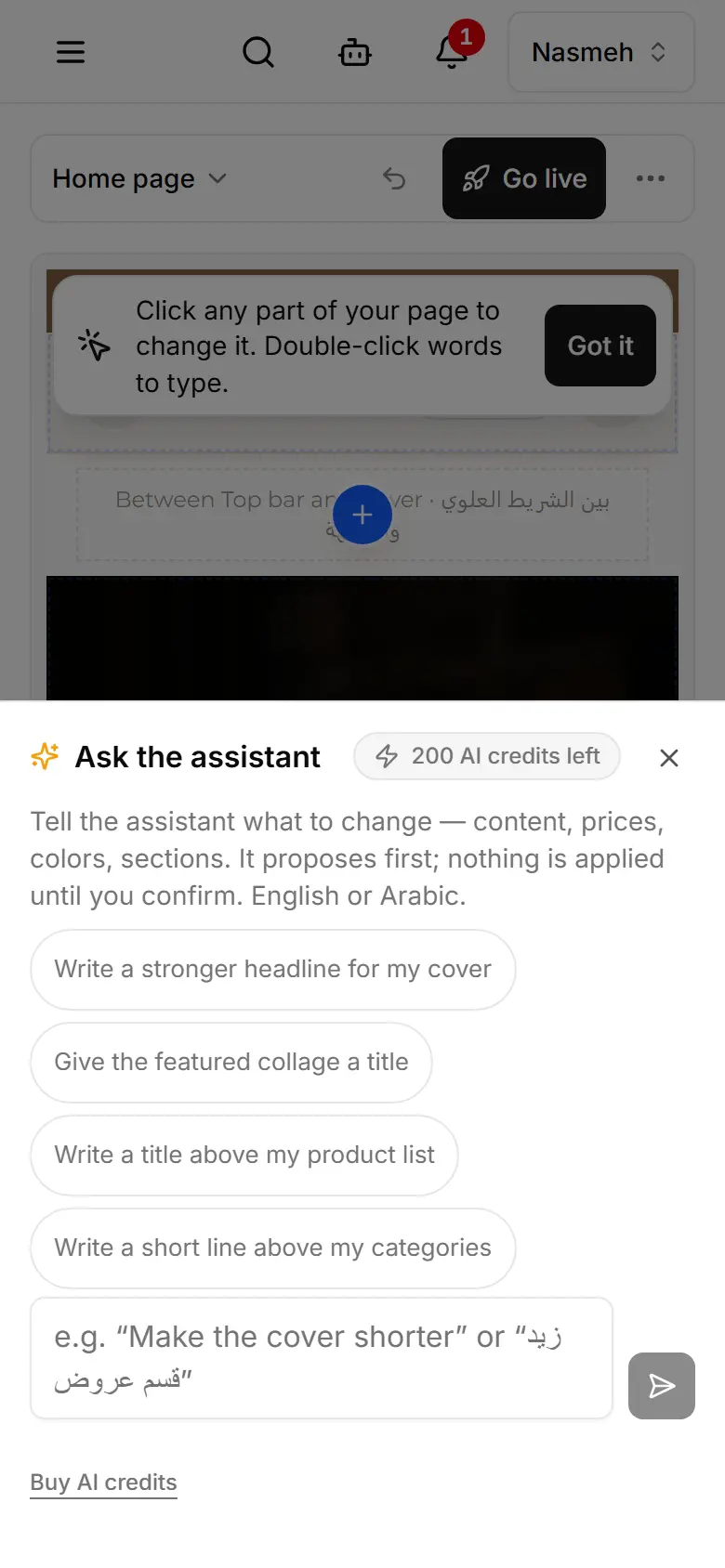
- A change costs 1 credit when you apply it; a dismissed one costs nothing. A reply with nothing to apply — an answer, or a question back — costs 1 credit.
- Undo any applied change from History.
- Ask AI works while the home page is open.
- This chat is shared by everyone who edits the site: New chat clears it for all of them; applied changes stay.
Related
- Change your website by chattingAsk for a website change — words, colours, sections — and confirm it; it lands in your draft, ready to publish.
- Make a picture with AIIn the editor, a section's picture field can make an AI picture; you see it first and keep it only if you like it.
- Dress up your site for an occasionPick an occasion and AI re-dresses your site — colours, headings and, for a shop, a row of your products — without touching your catalogue.