Add menu sections and dishes
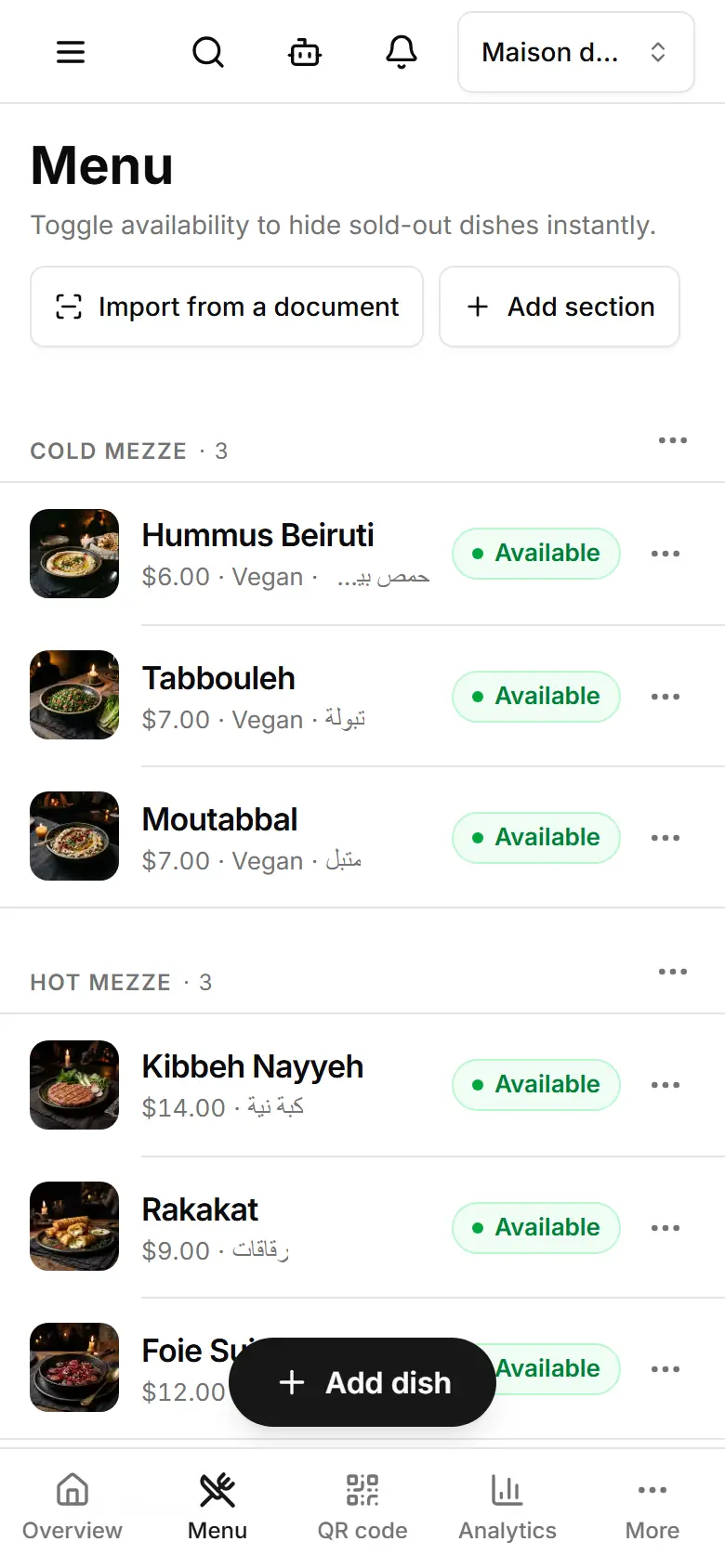
Group dishes into sections (Mezze, Grills…) and give each dish a name, price, photo and marks — live as soon as you save.
Open Menu and tap Add section.
Type the Section name and save it.
Tap Add dish — or Add a dish here from a section's ⋯.
Fill the Name, Description and Price (USD), and pick its Section.
Add a Photo (optional) and its Marks on the menu: Vegan, Vegetarian, Spicy, Gluten-free, Contains nuts, Halal or New.
Tap Save dish — the dish is on your menu at once.
- A dish sold in sizes: fill Sizes (optional) — each size has its own price, and the menu shows “from” the lowest.
- Your site shows Arabic but the dish has only an English name? The form says so — the Arabic menu shows the English name until you add one.
- On a computer, the arrows beside a dish move it up or down inside its section.
Related
- Mark a dish sold out, or change the dish orderTap a dish's chip to mark it sold out — it leaves the menu at once — and use ⋯ to move or delete it.
- Import your menu from a photo or fileUpload a photo or PDF of your printed menu, or paste it; AI reads the dishes, you check them, then add them.
- Print the QR code for your tablesDownload or print the QR code that opens your menu — for tables, the counter or the window.