Add a product
Give the product a photo, a name and a price, save, and it is in your shop at once — no Publish needed.
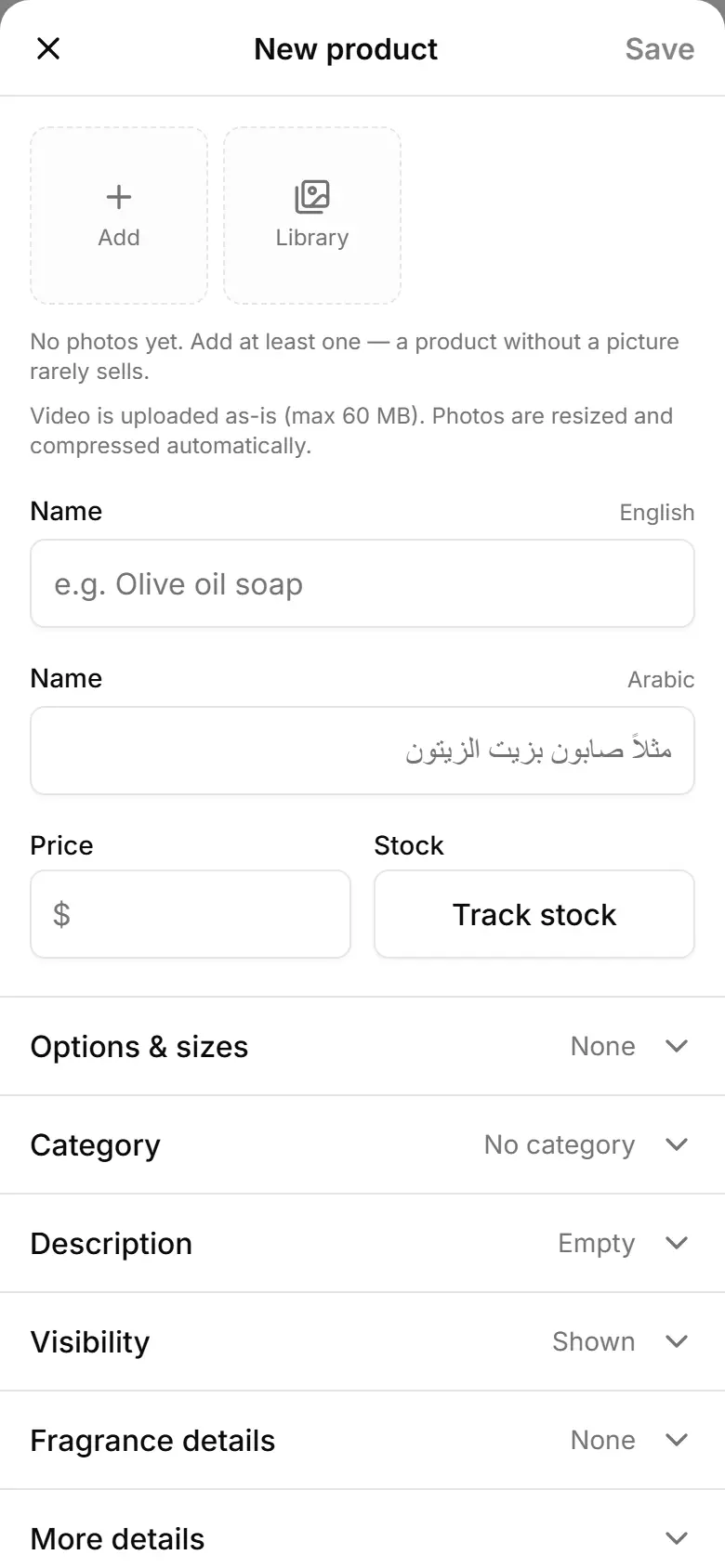
Open Products and tap Add product.
In the photo strip at the top, tap Add and pick one or more pictures.
Type the Name in each of your site's languages.
Enter the Price. To count stock, tap Track stock and set the number.
Open Category and pick one (optional).
Tap Save — the product shows on your site straight away.
Related
- Sell a product in sizes, each with its own priceGive each size (50 ml, 100 ml…) its own price and stock; the shop shows the cheapest one as the product's price.
- Add product photos and choose the coverAdd up to 8 photos per product; the first one is the cover shoppers see, and a filter finds products with no photo.
- Organise products into categoriesCreate categories, set their order for your shop's menu, and put each product in one.