Change a price or stock by asking
Tell the assistant the new price or the units in or out; it prepares the card and nothing changes until you confirm.
AIAsk: «Make Cedar Ridge 100 ml 34 dollars», or «We received 10 bibs».
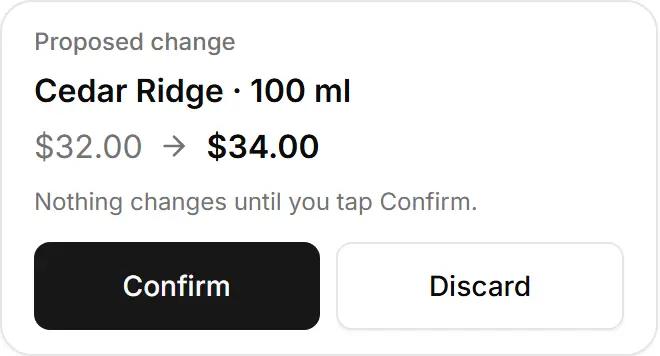
Check the card: the product and size, the old price → the new one, or the stock change and its reason.
Tap Confirm — or Discard.
Try asking
«Make Cedar Ridge 100 ml 34 dollars»
A real answer, from a demo store
I've set up the price change for Cedar Ridge (100 ml), from $32 to $34. Nothing changes until you tap Confirm on the card below.
«We received 10 more silicone bibs»
A real answer, from a demo store
I've set up a restock of +10 for Silicone Bib. Its stock goes from 3 to 13 once you tap Confirm.
- A product sold in sizes has a price and stock per size — name the size.
- Reasons: Delivery received, Damaged or lost, Customer return, Correction.
- Stock changes need stock tracking (Inventory) on your store and a product with a stock number; stock never goes below zero.
- A size's new price must stay below its «was» price.