Send a customer a WhatsApp update
The assistant writes the order's status message; you open it in WhatsApp and send it yourself.
AIAsk: «Write a WhatsApp update for order 1042».
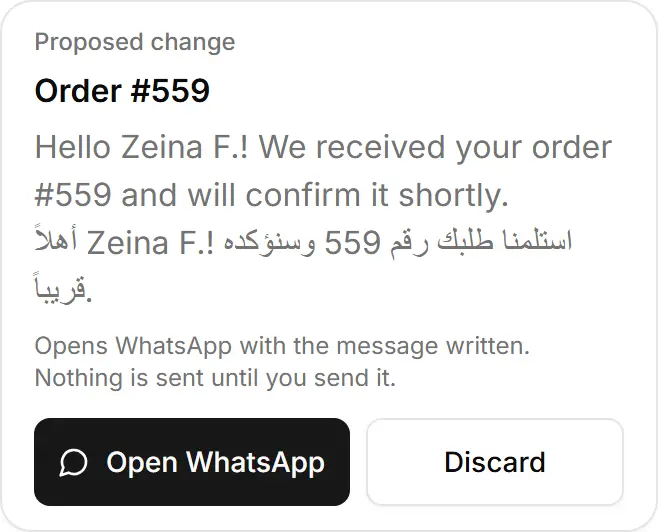
Tap Open WhatsApp on the card — the chat with that customer opens with the message written.
Read it and press send in WhatsApp.
Try asking
«Write a WhatsApp update for my latest order»
A real answer, from a demo store
I've prepared the WhatsApp message for your latest order, #559 from Zeina F. It was placed today at 13:23 Beirut time and comes to $21, cash on delivery. Tap the button on the card to open WhatsApp with the message already written. Nothing goes out until you press send.
The message gives the order's current status, which is still "New." If you'd rather tell her it's confirmed, I can prepare that status change first.
«Prepare a WhatsApp message for order 511»
A real answer, from a demo store
I've written the WhatsApp message for order #511. It tells the customer the order's current status. Tap the button on the card to open it in WhatsApp. Nothing goes to the customer until you press send there.
- The message tells the order's current status, in the language of the order, with the tracking or review link the order page adds.
- The order needs a customer phone number WhatsApp can open.