Let it prepare changes: the Confirm card
Ask for a change and the assistant prepares it on a card; nothing happens until you tap Confirm.
AI| Ask for | Tap Confirm and… |
|---|---|
| An order's new status (shops) | the status changes, as on the order page |
| A new price (shops) | the price is saved and live at once |
| Stock in or out (shops with stock tracking) | the stock is adjusted, with its reason |
| A WhatsApp update to a customer (shops) | Open WhatsApp opens the message written — you send it |
| A website change (every site) | it is saved in your draft — publish it from the editor; product and menu changes go live at once |
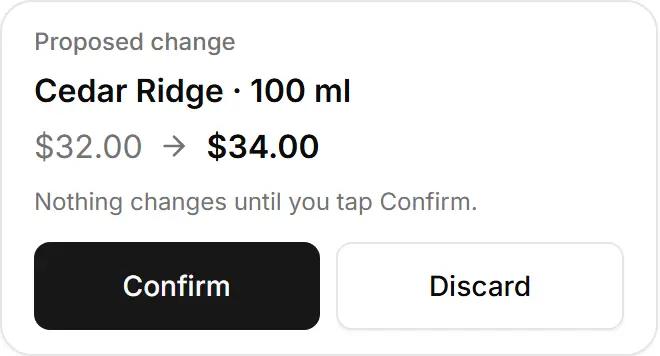
- Discard changes nothing.
- One change per card — ask for the next one after.
- It never cancels an order or sends a message for you — and nothing, not even removing a product, happens before you confirm.
Related
- Change an order's status by askingSay which order and the new status; the assistant prepares the change and you tap Confirm.
- Change a price or stock by askingTell the assistant the new price or the units in or out; it prepares the card and nothing changes until you confirm.
- Send a customer a WhatsApp updateThe assistant writes the order's status message; you open it in WhatsApp and send it yourself.
- Change your website by chattingAsk for a website change — words, colours, sections — and confirm it; it lands in your draft, ready to publish.