Change an order's status by asking
Say which order and the new status; the assistant prepares the change and you tap Confirm.
AIAsk: «Mark order 1042 as delivered» — or «my newest order».
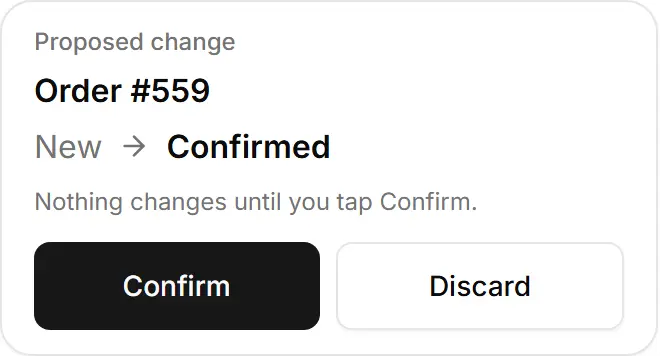
Check the card: the order number, its status now → the new one.
Tap Confirm — or Discard to leave it as it is.
Try asking
«Mark my newest order as confirmed»
A real answer, from a demo store
I've set up order #559 (Zeina F., Beirut, $21, cash on delivery, placed today at 13:23 Beirut time) to change from New to Confirmed. It won't change until you tap Confirm on the card.
«Cancel my newest order»
A real answer, from a demo store
Your newest order is #559 from Zeina F. (Beirut). It was placed today at 13:23 Beirut time, costs $21 cash on delivery and is still new and unpaid.
I can't prepare a cancellation for you here. To cancel it, open order #559 and tap Cancel. You'll then be asked whether to put the items back in stock.
It can move an order to New, Confirmed, Preparing, Out for delivery or Delivered.
Related
- Let it prepare changes: the Confirm cardAsk for a change and the assistant prepares it on a card; nothing happens until you tap Confirm.
- Send a customer a WhatsApp updateThe assistant writes the order's status message; you open it in WhatsApp and send it yourself.
- Find orders and customersLook up orders by status, payment or name, see one order in full, and learn who your best and returning customers are.