Change colours and fonts
My website → Style holds your whole look: presets, colours, fonts, spacing, corners and buttons.
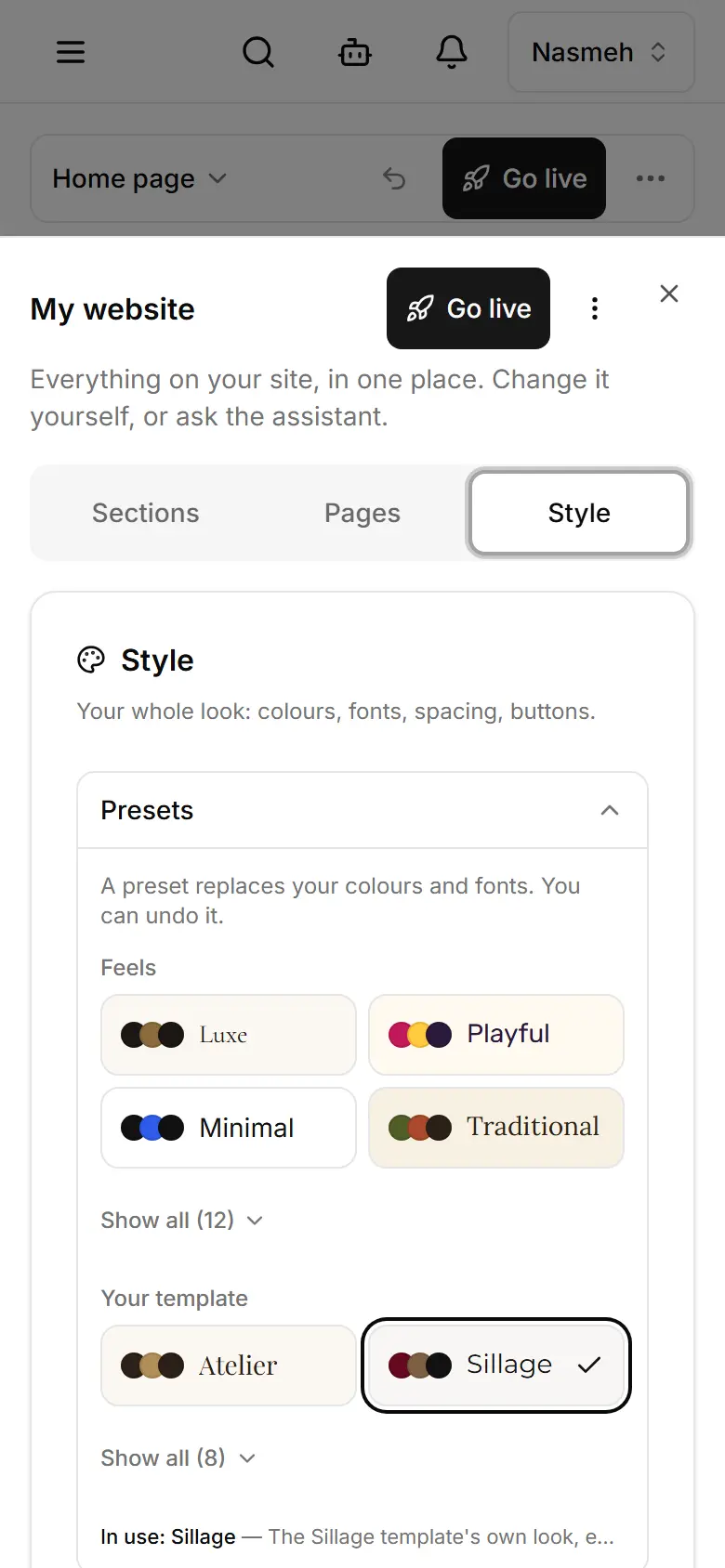
In My website, open the Style tab (phone: ⋯ → Edit my site → Style).
Tap a preset under Presets to try a ready look — it replaces colours and fonts.
Or fine-tune: Colours (Background, Main colour…), Fonts (Headings, Body text), Buttons.
Watch the preview; each choice saves to your draft by itself.
Publish to show it to visitors.
Related
- Publish your changesThe editor and Style save a draft visitors do not see; Publish puts it live. Products and Settings are live at once.
- Change your logo and site iconUpload your logo and the small browser-tab icon in Settings; they show on your site as soon as you save.
- Undo a change on your websiteUndo the last change in one tap, or open History to take back any change — even an older publish.