A new order arrived — what to do
You get an email (and a phone notification if you turned them on); open the order, check it and confirm it in one tap.
- An email goes to your business email (or your login email).
- A notification reaches your phone or computer if you switched it on in Settings.
- The bell at the top lists New orders.
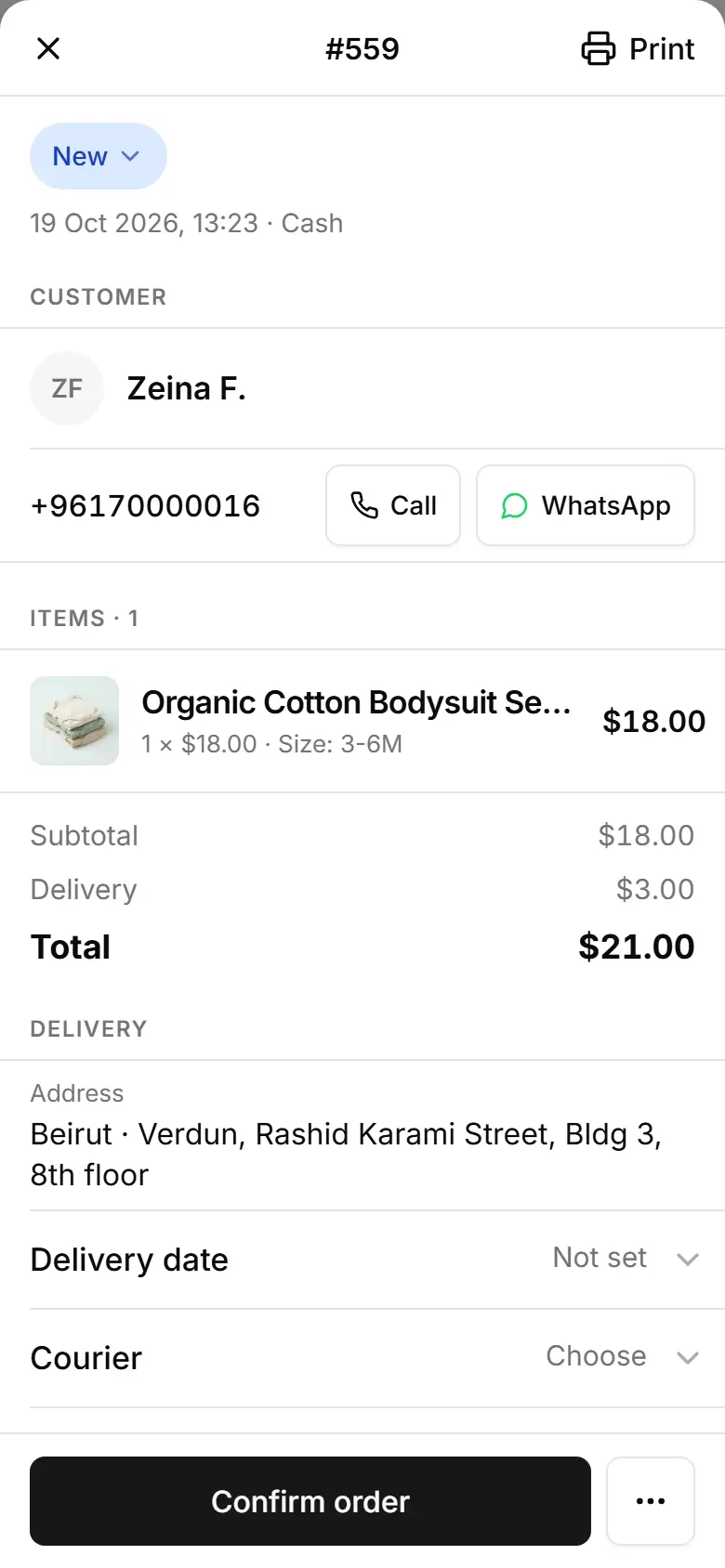
Open Orders — a new order has the status New.
Tap it: customer, items, delivery and payment on one sheet.
Something unclear? Tap Call or WhatsApp next to the phone number.
Tap Confirm order at the bottom.
Related
- Change an order's statusMove an order along in one tap; cancelling offers to put stock-tracked items back on the shelf.
- Message the customer on WhatsAppOne tap opens WhatsApp with a message that matches the order's status, ready for you to send.
- Check a Whish or OMT payment and mark the order paidWhish and OMT customers pay you directly and send a reference; you check it in your app and switch the order to Paid.